
Finding the right words and choosing the right spelling when writing e-mails, reports, and actually any kind of text may steal some of your valuable time. Typing Assistant will help you write faster and more accurately – its word prediction, auto-complete and auto-correct functions will minimize your typing mistakes and reduce the time you spend working at the keyboard.
The program offers you a fully-configurable array of settings that will allow you to fine-tune Typing Assistant to work seamlessly with your keyboard, language, and any other specific requirements you may have. You can define the number of suggestions that the program will be showing, how many characters you need to type before the suggestion window appears on your screen, the time (in seconds) the suggestion window will remain visible, etc. You can also select the color scheme, text size, and font family that the program will be using to suggest you alternative spellings for the word you’re writing. Finally, it is very important that you choose the right profile according to your typing skills – Skilled or Unskilled Typist Mode – as each profile will make use of different resources.
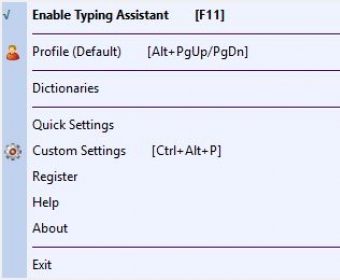
Equally important is to define and configure your hotkeys so that you can activate the different functions in the fastest and most convenient way. You can set specific hotkeys to auto-complete a word; to open the auto-expand, auto-clipboard, and auto-launch options; to add the text selected to the auto-clipboard dictionary; to enable and disable the program, or to add selected words and phrases to the auto-learn dictionary, among others. You can also customize your dictionaries by adding new entries or editing existing ones. Typing Assistant comes with a basic dictionary in various languages, an auto-learn dictionary where you can import new words and phrases, an auto-correct dictionary for the most common spelling mistakes, and auto-expand dictionary to save you keystrokes when writing common words and expressions, and an auto-clipboard function to send content to the clipboard and thus have a quicker access to it. Typing Assistant will learn from you and from the words and phrases you use more often, and here the clipboard has a very important role to play.
Security offers you the possibility of creating a list of words for which the program will not offer suggestions or will try to complete – i.e. passwords, addresses, or any other sensitive information that you don’t want to be disclosed to others.
Typing Assistant works seamlessly on any Windows app you can type in, including the MS Office suite of tools, your favorite e-mail client, a PDF form, and the Web. This excellent typing tool will not only save you lots of time, but also a large number of keystrokes and – what is more important – unnecessary spelling mistakes and typos.






Comments (2)